Adding audio to a product sounds straightforward.
Until someone asks:
- Which provider should we integrate?
- How do we support different voices?
- How do we accept documents, images, URLs, and clean content?
- How do we stream the result?
- How do we host and deliver it?
- How do we expose useful metadata?
- How do we support agents?
- How do we avoid building and maintaining all of this ourselves?
That’s why we built Lector.
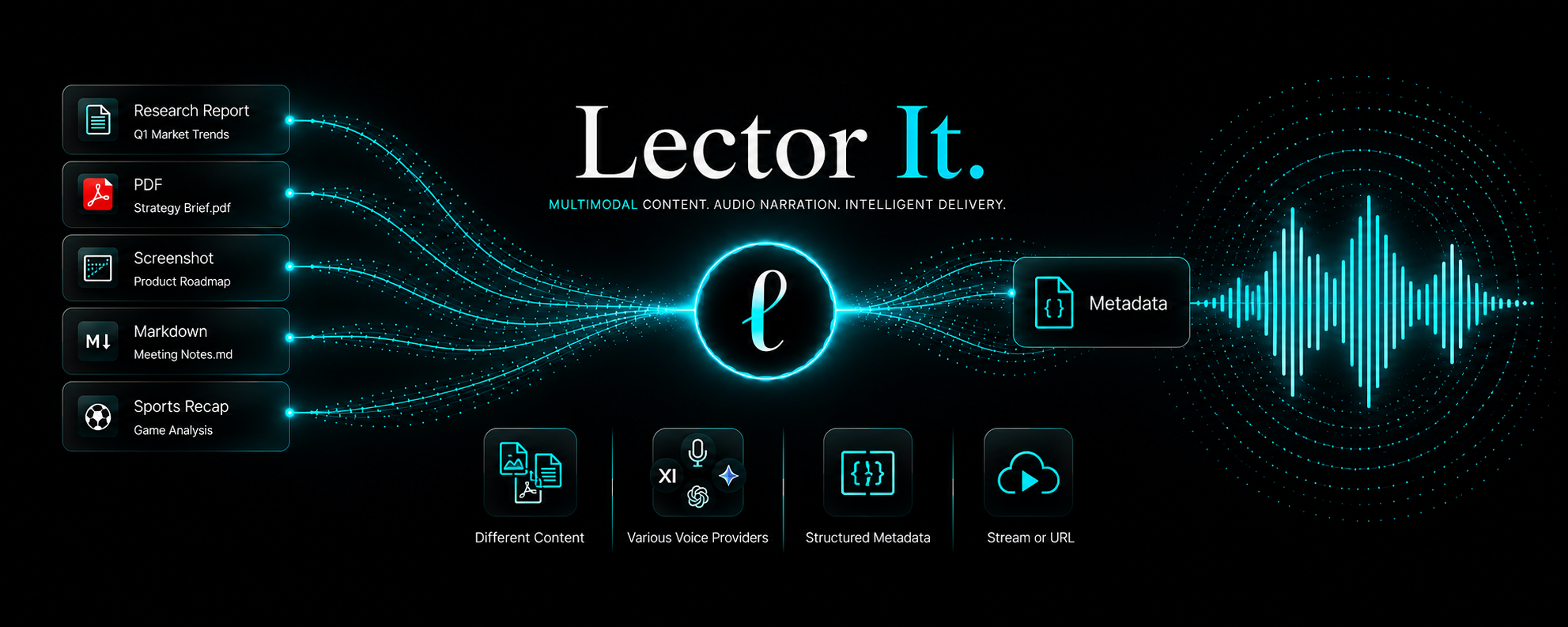
Instead of stitching together OCR, content extraction, narration, hosting, delivery, and response handling, your application can send content to a single API and receive narration-ready audio together with structured information your applications and agents can use.
Whether your product generates articles, reports, documentation, AI responses, customer updates, internal communications, or support messages, Lector fits into the workflows you already have. Add narration without redesigning the rest of your product.
Not every product needs a voice. Some already have one.
Humanoid robots, kiosks, voice assistants, and other intelligent interfaces may already be able to speak. Lector helps them transform the information they already generate or receive into audio. Along with the narration, Lector returns structured information that applications, agents, and internal systems can use to automate workflows, reason about what was generated, log activity, or trigger the next step.
For example, responses can include:
- Voice and provider used
- Detected language
- Delivery method
- Usage information
- Hosted audio location when applicable
You also shouldn’t have to build around a single voice provider. Lector lets you choose from supported providers such as OpenAI, xAI, and Gemini where available, select the voice and personality that best match your product, your users, or the situation, and receive audio as either a stream for immediate playback or a hosted URL your application can store, share, or deliver later.
Different products create information in different ways, so Lector accepts more than one type of input.
Already have clean content?
→ listen-content
Working with a document?
→ listen-document
Have a public document link?
→ listen-document-url
Need to narrate a short message?
→ tts
Working with an image or screenshot?
→ listen-image
Have a public webpage?
→ listen-url
Each endpoint is designed around the kind of information your product already works with, so you can choose the one that best fits your workflow instead of forcing every request through the same path.
Your team already knows how to build great products. Lector simply makes it easier for those products to communicate through audio by adding narration when and where it makes sense.
Explore the API and see how quickly audio can become part of your product.
Build audio into the product you already have.
Also explore: Lector for Robotics Teams · Lector for publishers and newsletter owners